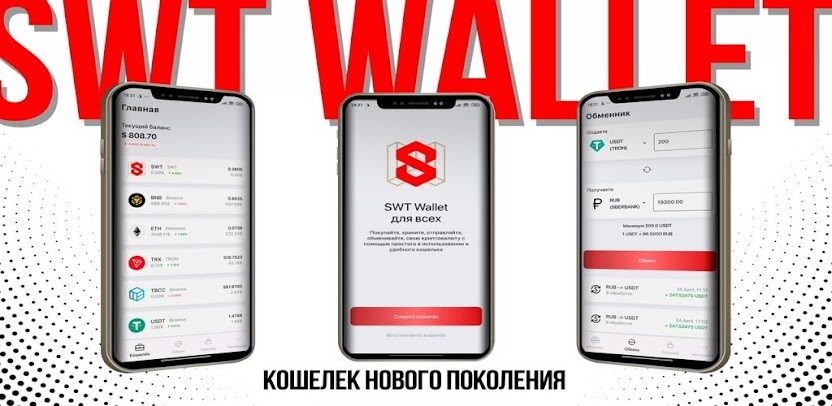
SWT Wallet is an innovative platform that lets you fully manage your digital assets from a mobile device. Store, send, swap, and pay with cryptocurrency, and even trade directly, without intermediaries. Fast transactions, support for decentralized financial services and applications, free swaps, and the ability to integrate with bank cards are available in a single app. Only you have access to your keys and funds.
Advantages of the SWT wallet
The SWT wallet offers users many benefits for managing their digital assets. One key advantage is a high level of security: all private data is held only by the wallet owner, which greatly reduces the risk of unauthorized access. In addition, the SWT wallet interface is intuitive, making it convenient even for beginners. Thanks to its decentralized architecture, transfers are carried out directly between users without third‑party involvement, which ensures faster transaction processing and lower fees. The SWT wallet also supports various features for interacting with the SWT ecosystem, including token management and integration with decentralized applications. All this makes the SWT wallet a reliable and modern tool for storing and using cryptocurrency.
Before downloading the SWT Wallet app, it’s important to prepare properly to keep your funds secure and ensure a correct installation. First, make sure your device — smartphone or tablet — meets the app’s system requirements: check that you have enough free storage, update the operating system to the latest available version, and connect to a secure Wi‑Fi network.
Step‑by‑step guide to downloading the SWT wallet
1. Choose your platform. Make sure which operating system you want to install the wallet on: Android or iOS.
2. Next, visit the official SWT Wallet website and download the installer or use the official links in the app stores ( Google Play for Android or the App Store for iOS) to avoid installing fake versions.
4. Download and install the wallet on your device. Tap “Install” and wait for the download and installation to complete.
5. Launch the app. Open the installed app on your device.
6. Create a new wallet or import an existing one. Follow the on‑screen prompts: you can create a new wallet (and save the recovery phrase!) or import an existing one using your seed phrase.
7. Take care of security. When downloading and installing the SWT wallet, users sometimes make common mistakes that can lead to loss of access to funds or security risks. One frequent mistake is downloading the app not from the official website or store but from third‑party sources. This can result in installing a fake wallet. Many users also skip creating a backup of the recovery phrase and password, which can lead to total loss of access to the wallet if the device fails or the app is reinstalled. Remember that the seed phrase assigned to you when you register your SWT wallet provides access to your funds and protects them against unauthorized access. It’s important to know safe methods for storing it so you don’t expose it to theft. For safe wallet usage, download the app only from trusted sources, follow the installation instructions carefully, and don’t forget to store your recovery phrase and password securely.
8. Use the SWT wallet for secure storage, management, and use of your crypto assets. With it, you can not only conveniently store SWT and other supported tokens, but also make fast transfers, track your balance, view transaction history, and interact with decentralized applications (dApps) within the SWT ecosystem. The wallet features an intuitive interface and modern security, enabling reliable protection of your funds and personal data. Using the SWT wallet gives you access to all ecosystem capabilities, helping you manage your digital assets as efficiently as possible.
If you encounter difficulties during download or installation, please contact our SWT Telegram chat.
By following these simple steps, you can safely download and start using the SWT Wallet app while keeping full control of your crypto assets.
💰 Learn more about cryptocurrency in the SWT Telegram channel 💰
Free
card service for all new users



Share